Artificial Intelligence (AI) is making life easier every day. Many tasks that once took hours—like writing, designing, or planning—can now be done in just minutes using AI tools. In this article, you will discover the top 10 AI tools that can help you save time, reduce effort, and improve your daily productivity, even if you are a beginner.
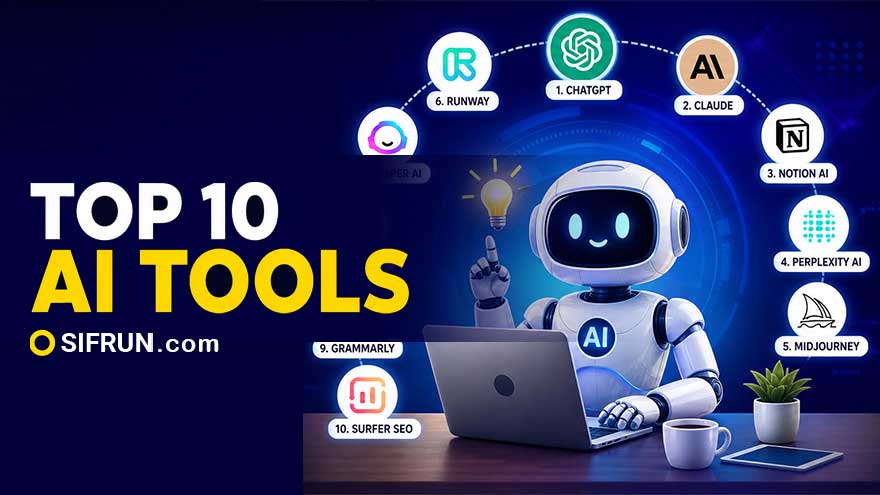
Artificial Intelligence (AI) is changing how we work, study, and manage our daily life. Today, many tasks that used to take hours—like writing emails, designing images, editing videos, or even planning your day—can now be done in minutes with AI tools.
In fact, thousands of AI tools are now available, and most people already use at least one daily without even realizing it.
This article will explain Top 10 AI tools in very simple language so that anyone—even beginners—can understand and start using them easily.
AI tools are software or applications that use smart computer systems to perform tasks that normally require human thinking.
Example:
These tools help you save time, reduce effort, and increase productivity.
AI tools are becoming popular because they can:
Many professionals now rely on AI daily for writing, research, and automation tasks.
Best for: Writing, answering questions, learning, coding
This is one of the most powerful AI tools available today.
✔ What it can do:
Example:
Instead of writing a long email manually, just tell ChatGPT what you want—it will write it for you.
Best for: Deep thinking, long documents, analysis
Claude is known for understanding long content and giving clear answers.
✔ What it can do:
Example:
Upload a 50-page document and ask Claude to summarize—it will do it in seconds.
Best for: Notes, tasks, planning
Notion AI works like a digital notebook + assistant.
✔ What it can do:
Example:
Write messy notes → Notion AI organizes them neatly.
Best for: Research and learning
Perplexity is like Google but smarter.
✔ What it can do:
Example:
Instead of opening 10 websites, get one clear answer instantly.
Best for: Design, art, thumbnails
Midjourney turns text into beautiful images.
✔ What it can do:
Example:
Type “sunset beach painting” → get a professional image.
Best for: Video editing, content creation
Runway helps you create and edit videos quickly.
✔ What it can do:
Example:
No editing skills? Still create professional videos.
Best for: Marketing, ads, blogs
Jasper is designed for businesses and marketers.
✔ What it can do:
Example:
E-commerce owners can generate product descriptions in seconds.
Best for: Automation, repetitive tasks
Zapier connects different apps and automates workflows.
✔ What it can do:
Example:
When you receive an email → automatically save it to Google Sheets.
Best for: Grammar, email writing
Grammarly checks your writing and improves it.
✔ What it can do:
Example:
Write an email → Grammarly makes it professional.
Best for: Bloggers, SEO writers
Surfer SEO helps your content rank higher on Google.
✔ What it can do:
Example:
Write a blog → Surfer tells you how to improve it for ranking.
| Task | Old Way | AI Way |
|---|---|---|
| Writing emails | 15–20 minutes | 1 minute |
| Research | Hours | Minutes |
| Designing images | Requires skill | Just type prompt |
| Video editing | Complex software | AI does it |
| Task planning | Manual effort | Automatic |
✔ Saves time
✔ Easy to use
✔ No special skills needed
✔ Works faster than humans
✔ Helps in learning and productivity
❗ Not always 100% accurate
❗ Needs internet
❗ Cannot fully replace human creativity
❗ Sometimes requires editing
AI tools are not just for experts—they are for everyone.
Whether you are:
You can use these tools to simplify your daily life.
AI is no longer the future—it is the present.
These top 10 AI tools can:
If used properly, AI can become your personal assistant, teacher, designer, and helper—all in one.